
Pre-Service Teacher Permit Information
Important Changes That Impact Field Experience & Student Teaching
Starting July 1, 2024, any individual enrolled in a course that is part of an Educator Preparation Program AND who will be in a PK–12 classroom as part of the course must obtain a Pre-Service Teacher Permit before they are allowed in schools for their Field Experience or Student Teaching assignments.
Important Note: You are not required to apply for a Pre-Service Teacher Permit if you hold a current and valid license including a substitute, coaching, paraprofessional, or any Ohio educator license where you are enrolled in the RAPBACK program. In this case, you are only required to complete step 3 below to provide Kent State University with your Educator ID.
Step 1: Get your BCI and FBI Background check ASAP
- Use code 3319.291 for both BCI and FBI background checks.
- You can schedule a background check on the second floor of White Hall in the Instructional Resource Center (IRC) or by going to any other WebCheck location that does background checks.
- Have your background check sent electronically to the State Board of Education. We recommend you have a copy sent to youself for your records.
- You are not required to get a new background check if you have had one done within 1 year of the date that the pre-service permit is issued and if an electronic copy of that background check was sent to the State Board of Education (formerly the Ohio Department of Education) at the time you got the background check. If you background check is nearing expiration, it may expire before issuance of the pre-service teacher permit.
Step 2: Create an OHID account and apply for your Educator State ID Number
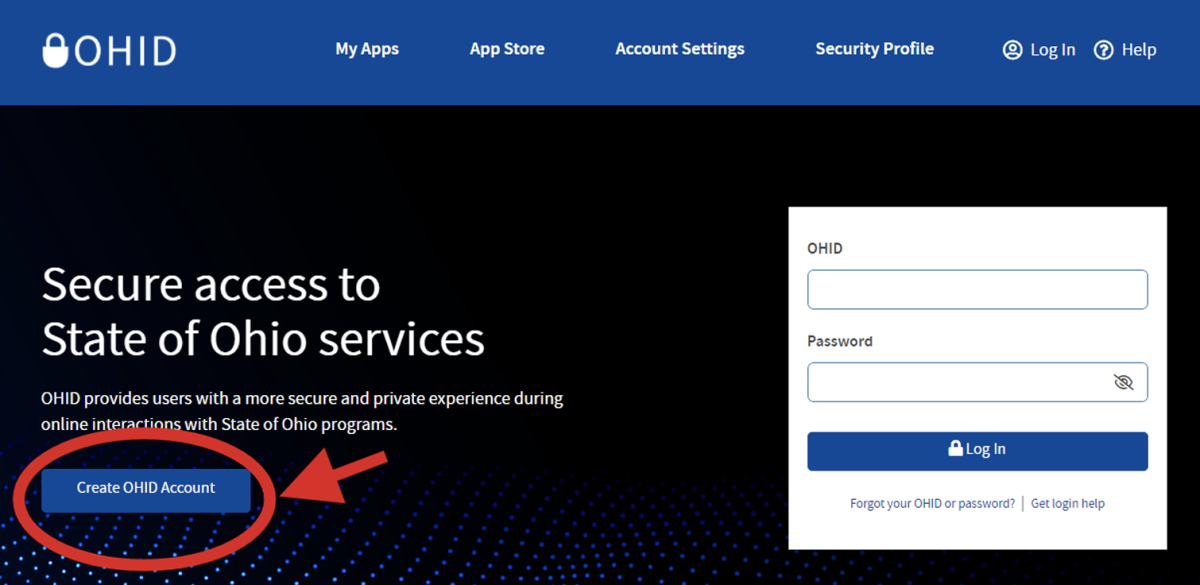
- Register for your OHID account at OHID. Select 'Create OHID Account.'
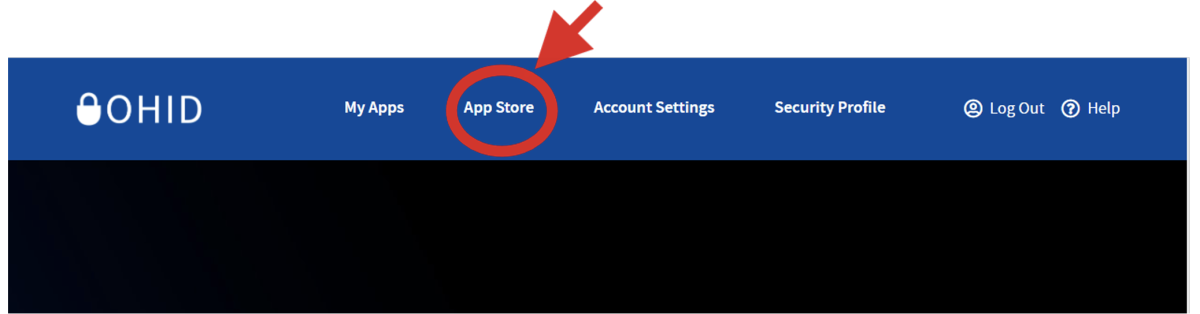
- Once you have your OHID, click on the 'App Store' icon at the top of the page.
- On page 2 of the App Store, you will see the 'Educator Licensure and Records (CORE) App. Select 'Request Access.'
- If you do not already have the CORE App added to your account, it will say 'Request Access' not 'Open App.'
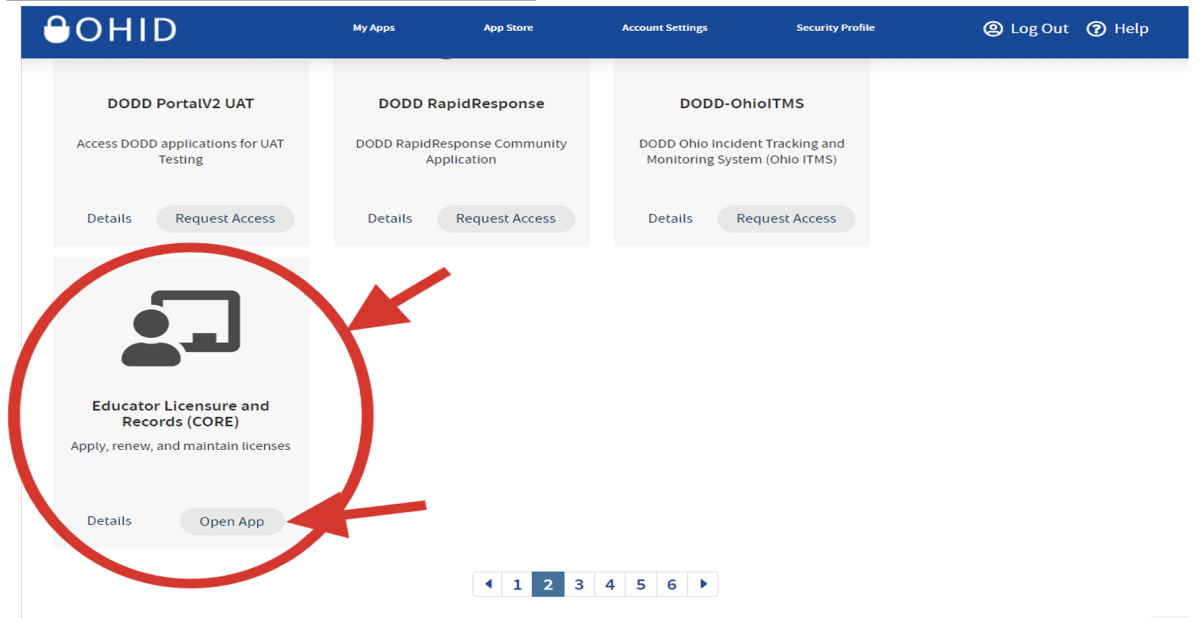
- Once you have been given access to the CORE App, you will see it when you log in under 'My Apps.'
- Open the app to apply for your Educator State ID Number.
Step 3: Complete the pre-permit application on the Student Portal
- You must register on the EHS student portal so that we can approve your application.
- Once you have registered for the pre-service permit, you will be directed to apply through the State Board of Education website to complete Step 4.
- If you already have a current and valid educator license and are registered through the RAPBACK system, this is the only step you are required to complete. Through the Student Portal, you will notify us that you already have an educator license and do not need the Pre-Service Teacher Permit. You will need to provide us with your Educator ID during this step so we can verify your information.
Step 4: Complete the Pre-Service Teacher Permit application through your OHID account
- Once you have completed the pre-permit application through the EHS Student Portal, you can apply for your Pre-Service Teacher Permit through the State Board of Education.
- Log in to your OHID account.
- Open the CORE App.
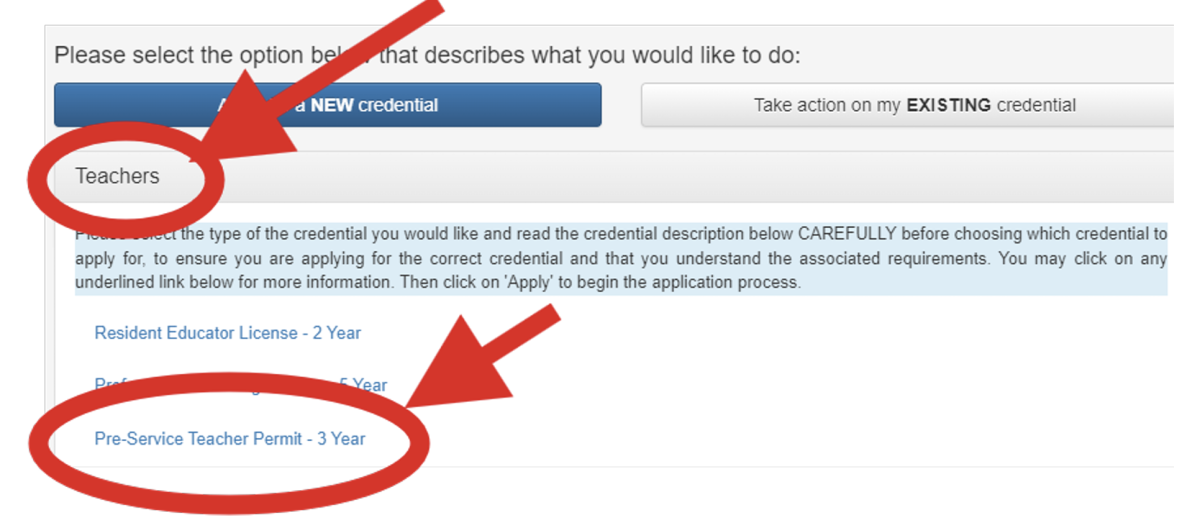
- Select 'Apply for a NEW Credential,' then select 'Teacher' and 'Pre-Service Teacher Permit - 3 Years.'
Additional Information
- If you recently received a background check but did not have it sent electronically to the State Board of Education (or formerly the Ohio Department of Education), you will need to get a new background check. If you are unsure, check in your OHID account to see if the state has received a copy.
- You can check the status of your application in your OHID account. You cannot begin any field experience or student teaching placement until your permit is approved and issued.
- Please see additional Pre-Service Teacher Permit FAQs from the State Board of Education.
