
Getting Started with DocHub
Yuja Panorama’s Accessible DocHub is a centralized, cloud-based remediation solution for making documents accessible and creating alternative file formats. It is available to faculty, staff, and students, and provides folder structures for organization, filtering capabilities, and comprehensive remediation guidance.
You can access DocHub by logging in to Yuja Panorama with your Kent State credentials. DocHub can be accessed from the navigation menu once logged in.
The DocHub dashboard will look something like this:
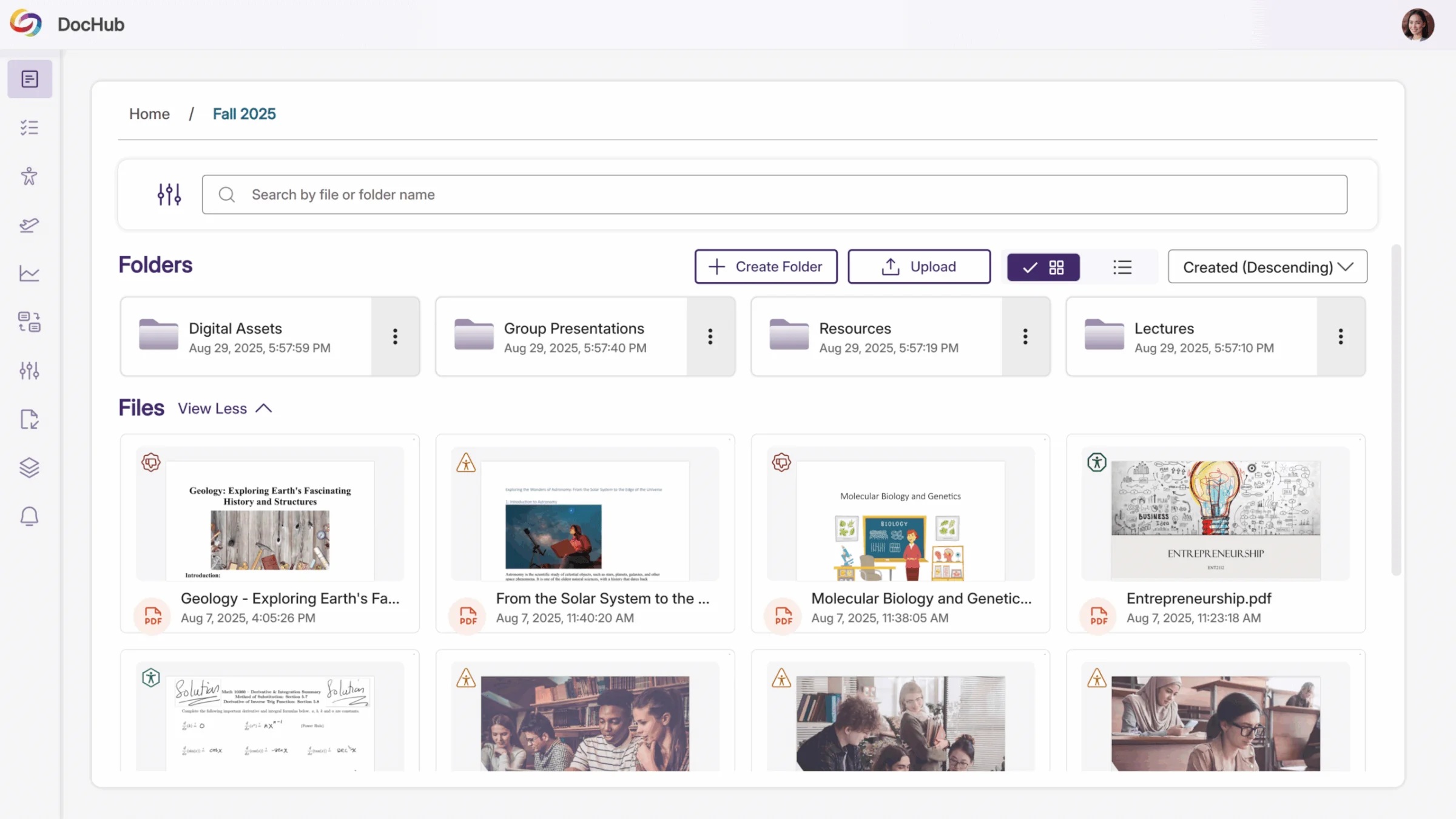
Note for instructors and students: Documents added here will not be automatically shared to your courses, but will be available to you from within Canvas.
Uploading Documents
The following document types can be uploaded to DocHub and reviewed for accessibility:
- .PDF (Adobe PDF Files)
- .DOC, .DOCX (Microsoft Word Files)
- .PPT (Microsoft PowerPoint Files)
- .XLS, .XLSX (Microsoft Excel Files)
- .PNG, .JPG, .JPEG, .GIF (Common Image Types)
- And more
Documents such as PDFs, Word Docs, Excel Spreadsheets, and PowerPoints will be scanned automatically for accessibility compliance, and an accessibility report will be generated for them (reports may take several minutes to generate).
To view the accessibility report for any uploaded document, select the document from within DocHub and choose “Accessibility Report” from the top of the Alternative Formats Menu that appears.
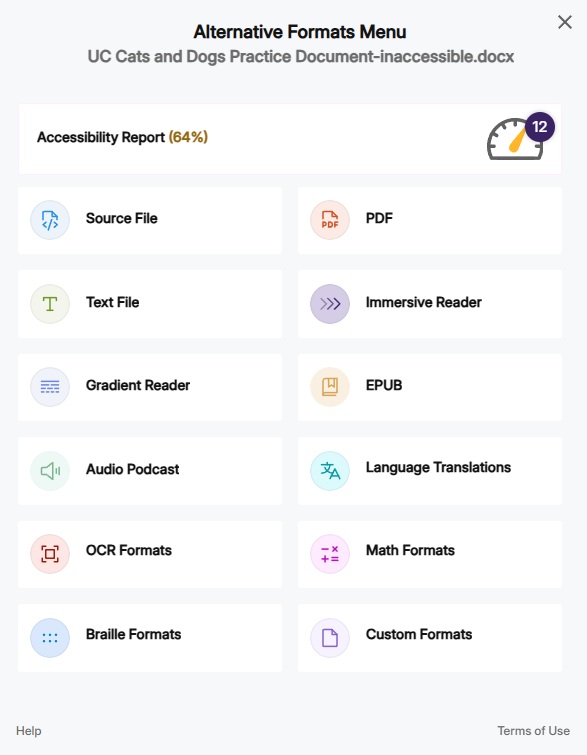
Alternative formats for documents such as Immersive Reader, Audio Podcast, Language Translations, and more can also be generated from this menu and can be downloaded once they’ve been generated.
Understanding the Accessibility Report
At a glance, the Accessibility Report will assign your document a percentage score from 0 to 100 based on the number of issues identified, categorized by the following severity levels:
- Severe: These are issues that create significant accessibility barriers for most users and require immediate attention. Examples: scanned PDFs, malformed documents.
- Major: These are issues that create accessibility barriers for many users, and should be prioritized once any severe issues have been addressed. Examples: images missing alt text, insufficient color contrast.
- Minor: These are issues that can help improve the accessibility score of your document, and should be addressed as time and bandwidth allows. Examples: links without descriptive text, document language not set.
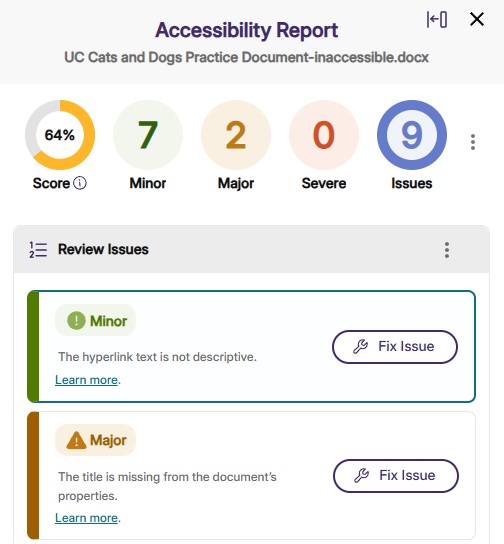
It is important to address any “Severe” issues first, as those issues create the most significant barriers for accessibility and have the highest impact on your document’s accessibility score.
Additional Help and Resources
For additional information and training opportunities regarding Yuja Panorama and creating accessible course content, please visit the Kent State Online | Digital Accessibility for Course Materials page.
For questions regarding updates to Title II of the Americans with Disabilities Act (ADA) or general questions regarding digital accessibility and accommodations, please email EqualAccess@kent.edu.
